
Betika offers an Android application for Ethiopian players, and it installs from an APK file rather than from an app store. This guide covers the Betika app download, the exact install steps and the settings you must allow before the file opens. iPhone owners are not left behind, because no iOS build exists and the mobile browser carries them.
Table of contents
The sections below compare the application with the browser, list the device requirements and answer the questions readers send us most often.
The Betika app for Android
The Betika app is a native Android package that the operator publishes for the Ethiopian market. It carries the sportsbook, the live betting view and the casino lobby inside one install. Nothing important is held back for desktop users.
One point deserves repeating for Apple owners: there is no iOS app for the Ethiopian market. iPhone and iPad owners play through the mobile browser instead, and that browser version is a complete product. So a search for an iOS Betika app download returns nothing genuine.
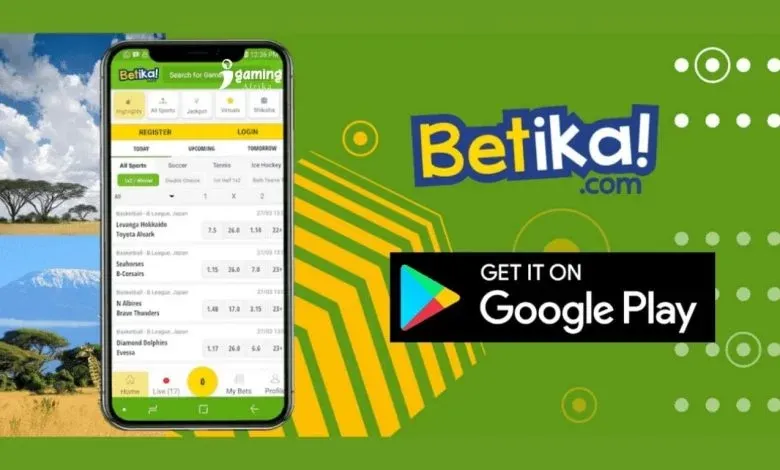
The Betika app download for android arrives as a single compact file that installs in well under a minute on most current phones. Older handsets take a little longer, but the process is the same.
Installing the APK
Installation is a short manual process, so follow the order below. Each step takes seconds on a normal connection, and you can pause between them without losing progress.
- Open the official Betika site in your Android browser and sign in, or create an account if you are new.
- Start the Betika app download apk transfer from the application link on that page.
- Allow installation from the browser when Android shows its security prompt.
- Open the downloaded file and confirm the install, then wait for the icon to appear.
- Log in with your existing details inside the app, or register there if you skipped the website.
A betting APK from a mirror or a chat group can carry modified code or a fake login screen. Always start from the operator's own pages and check the file name before you tap install. Delete any installer you did not ask for.
Some phones ask for permission twice, once for the browser and once for the file manager. Approve both prompts, then revoke the permission afterwards if you prefer a tighter setup.
Playing in the mobile browser
The mobile browser is the fallback for every device, and for iPhone owners it is the only route. It needs no install, no storage and no update, which suits shared or borrowed phones. Nothing is missing from the account area either.
Search demand around betika ethiopia mobile usually comes from players who want the fastest access on a mid-range handset. The browser answers that need directly, because a saved bookmark opens as quickly as an app icon.
Layout and account features match in both cases, and your balance, open bets and withdrawal history live on the server. Data use stays light on 3G-class connections, so a full football coupon loads without a heavy download.
What the app adds
The application mainly improves speed and convenience rather than adding markets. It keeps a session open, remembers your last screen and sends match alerts through Android notifications. Those small gains matter when you check scores during a working day.
- Faster cold start: the app opens straight to your last screen without typing a web address.
- Push notifications: goal alerts, bet settlements and deposit messages arrive on the phone.
- One-tap login: the session survives a restart, so you can check a bet quickly.
- Cached shell: the interface opens without a connection, although live data still needs one.
The table below sets the two routes side by side on the points readers ask about most. Neither column is weaker on odds or markets, so choose on convenience alone.
| Point | Android app | Mobile browser |
|---|---|---|
| Install needed | Yes, one APK file downloaded by you | None at all |
| Storage | Keeps the package and its cache on the phone | Uses only temporary browser cache |
| Updates | You install each new version manually | Always current when the page reloads |
| Login | Session stays open until you log out | You may need to sign in again after closing |
| Notifications | Goal and account alerts on the phone | No push alerts, email only |
| Offline use | Cached interface opens, live data needs network | Needs a connection for every screen |
Swipe the table sideways to read every row.
Device requirements
Any reasonably modern Android phone runs the application, from budget models upward. A recent Android version helps, because older releases handle background downloads less gracefully. The browser route works on any phone with a current browser installed.
Check three things before you install: the Android version, the free storage and the quality of your connection. A phone that struggles with a heavy web page will also struggle with live video markets.
Keep free space for the installer and for the installed package, because both exist on the phone at the same time. Clear the app cache when screens feel slow, and close background apps before you follow a live market.
The editorial team ran the install on a mid-range Android handset, and it completed without an error. Owners of an iPhone can skip this section entirely and open the site in Safari or Chrome.
Common installation issues
Most failed installs come down to a blocked permission, a partial file or an old Android build. Work through the short list below before you contact support.
- Install blocked: enable installation from your browser in Android security settings, then retry.
- Parse error: the file downloaded incompletely, so delete it and download again on Wi-Fi.
- App not installed: free up storage space, because the installer needs room for both copies.
- Login rejected: reset the password on the website first, then sign in inside the app.
- Blank screen: clear the app cache and reopen the application.
If none of those help, clear the browser cache, restart the phone and try once more. Support answers through 24/7 live chat and email when the problem sits on the account side rather than the phone.
Conclusion
The Betika app download for android latest version suits anyone with an Android phone who wants faster access to the sportsbook. The file is small, the permissions are standard and the account stays identical to the website.
If you use an iPhone, plan around the browser from the start, because no iOS application exists for this market. Both routes reach the same account, the same odds and the same withdrawal rules on the same balance.
Install from the operator's own pages, keep your login details private and remember that betting carries financial risk. Only players aged 18 and over should open an account.
FAQ about the Betika app
Is there an iOS version of the app?
No. There is no iOS application for the Ethiopian market, so iPhone users play through the mobile browser. That browser version carries the full sportsbook and casino range.
Does the download cost anything?
The package itself is free. Only a deposit costs money, and the minimum deposit is ETB 10 by mobile money or ETB 50 when you pay by card.
Do I need a separate account for the app?
No. Sign in with the same details you already use on the website, and your balance, open bets and withdrawal history stay exactly where they were.
How much data does the app consume?
Data use stays light on 3G-class connections for coupons and results. Video streams and live dealer tables consume noticeably more, so watch those on Wi-Fi where you can.
Where should I get the installation file?
Only from the operator's official pages, never from a mirror, a file-sharing link or a message forwarded by a stranger. Check the file name before you install it.